Beta · Free
For worship leaders & teams
Your worship team’s companion.
Songs, setlists and Sunday, ready on every device. Built by worship leaders who got tired of juggling PDFs and WhatsApp.
Free during beta · No credit card

Try it right here
Change the key. Watch it follow.
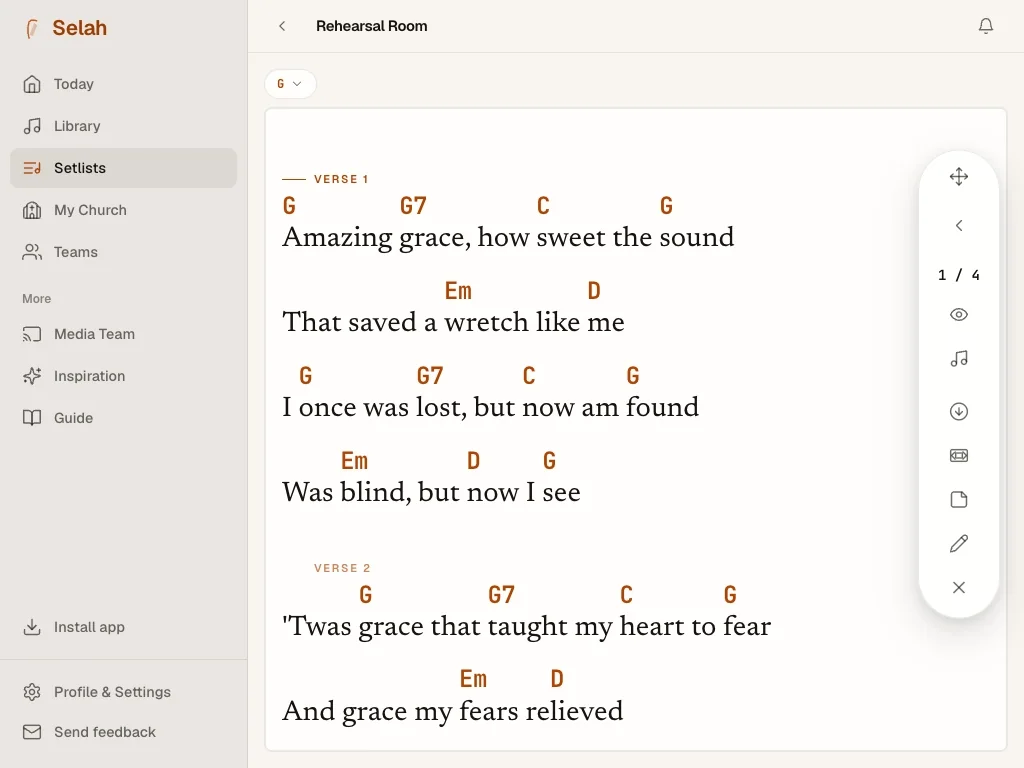
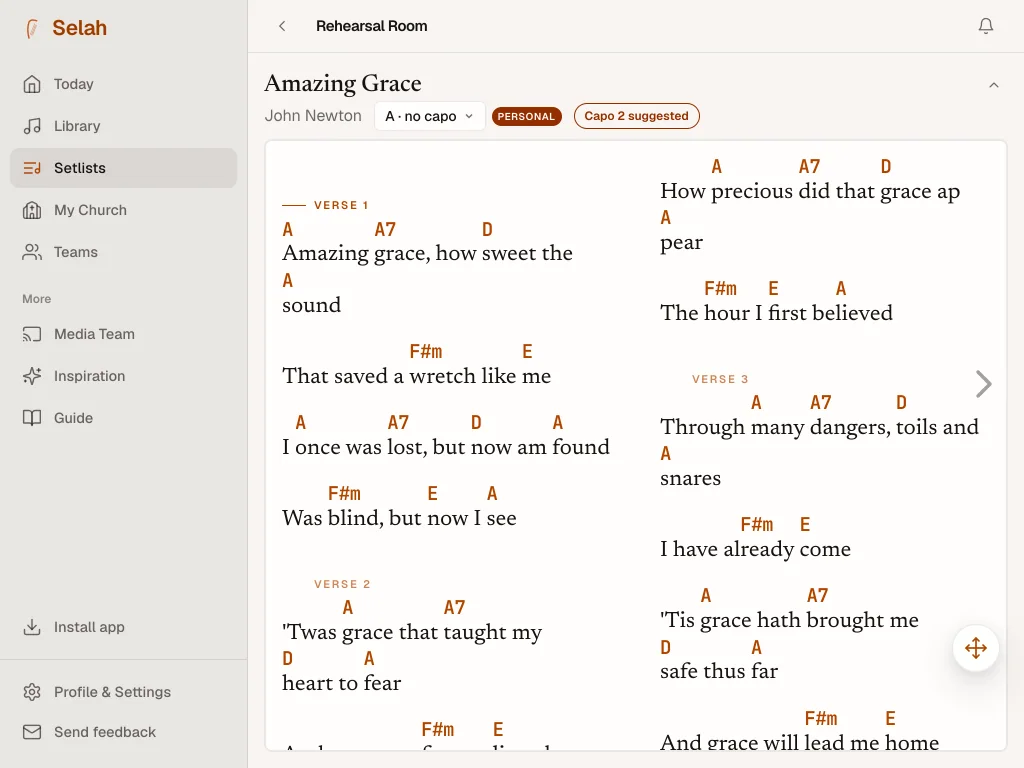
Every chord, on every device, instantly in the right key and in the notation your team reads. No re-writing, no whiteout.
Verse 1
Tap − or + to transpose. On a keyboard: ← and →.
How it works
From your songs to Sunday, in minutes.
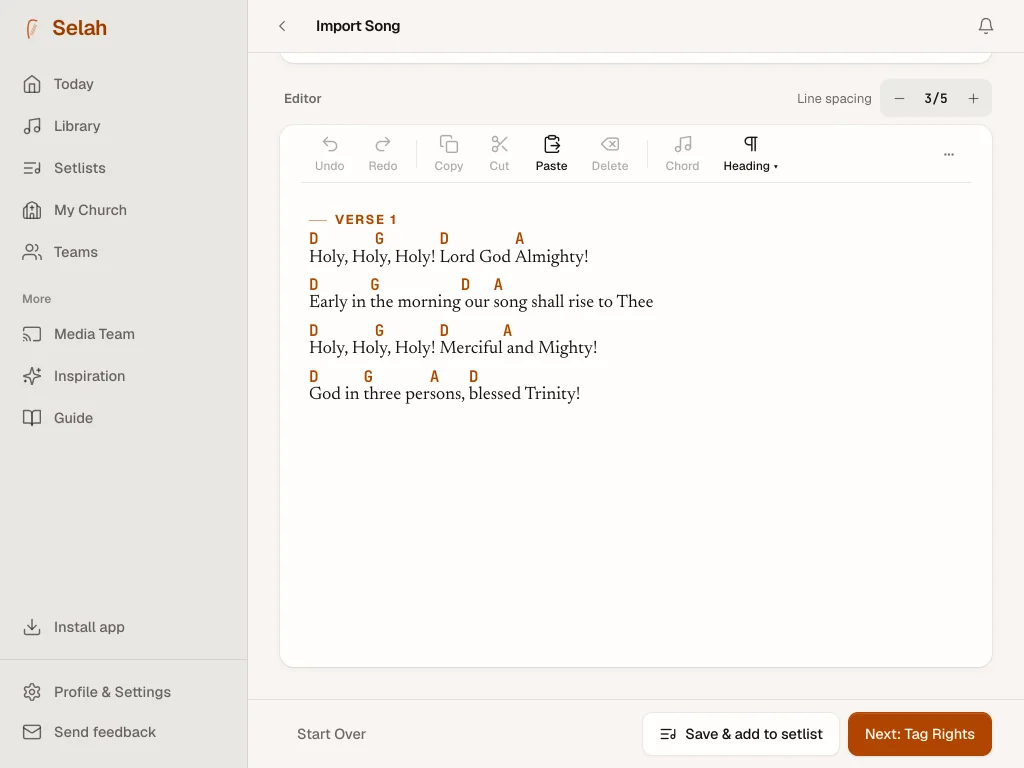
Bring your songs in
Paste the lyrics and chords from anywhere, or drop in a file. Selah detects the key, lays the chords over the lyrics, and flags what looks copyrighted so your team can keep track.
Build your Sunday
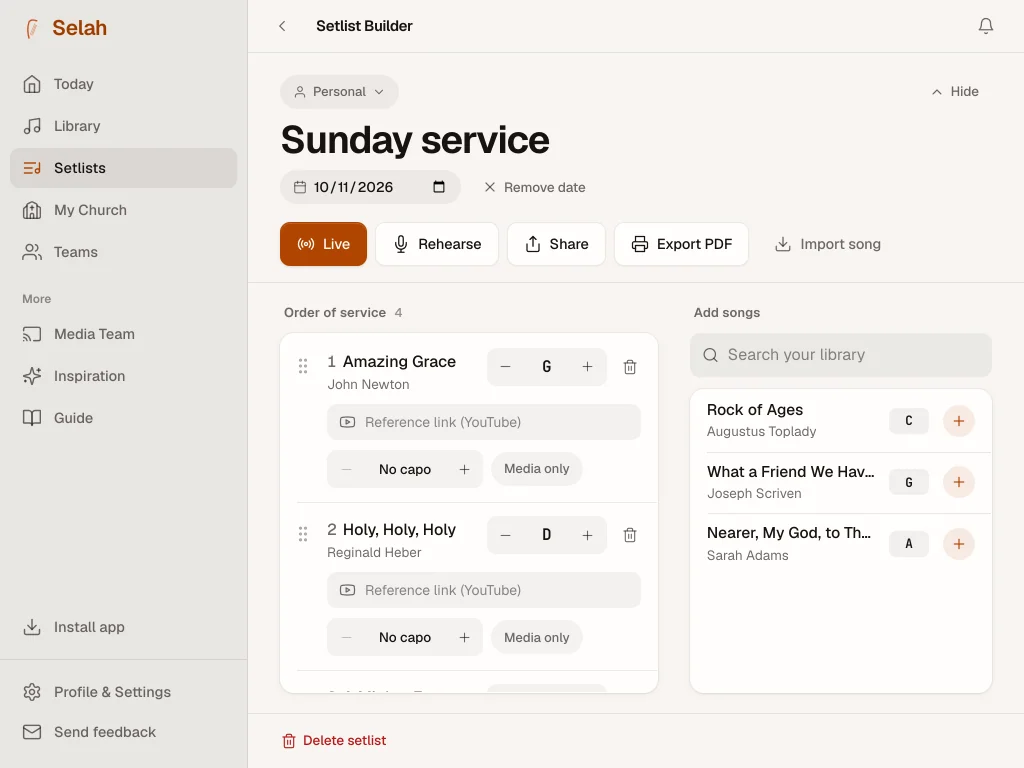
Drag songs into the order you’ll play them, set the key for each, and your whole team gets it the moment you’re done.
Lead, and everyone follows
Big, legible chords on stage. Auto-scroll, transpose, capo and annotate, all from one device. Whoever wants to follow you live, can.
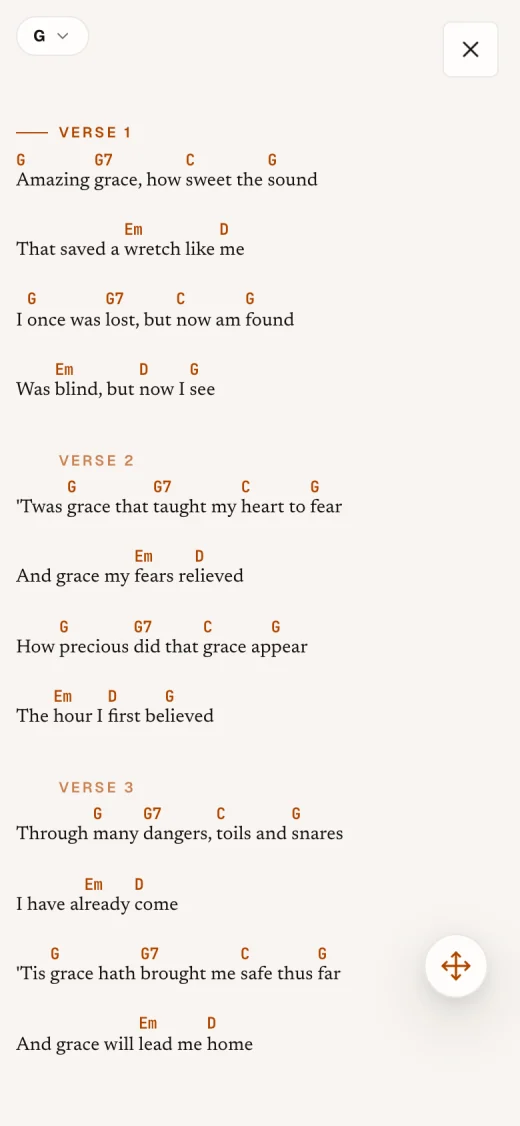


Same keys, each at their own pace
Everyone on the same page.
Set the songs and keys once and every phone, tablet and music stand gets them instantly. From there each musician reads at their own pace, and the media team runs the projector for the room.


- languages
- 4
- notations: letters, Do Re Mi and Nashville
- 3
- keys, one tap away
- 12
- your songs are still there
- No internet
From the teams
Built by worship leaders, not from afar.
We went from three apps and a WhatsApp thread to one tab. Rehearsals start on time now.
Changing the key used to mean re-printing everything. Now I tap once and the whole band sees it.
The media booth finally sees exactly what I see. That alone was worth it.
Pin it to your phone
One tap, every Sunday.
Selah lives on the web, but you can save it as an app on your phone, tablet or laptop. It opens in its own window, works offline, and is ready before the band shows up.
- iPhone or iPad
- Open selah-ministry.com in Safari, tap Share, then “Add to Home Screen”.
- Android
- In Chrome, open the menu (⋮) and tap “Install app”.
Questions
The short answers.
Is it free?
Free during the beta, no credit card. We’ll introduce fair pricing later, with options for individuals, teams and organizations.
Does it work offline?
Yes. Your songs and setlists are cached on each device and sync the moment you’re back online. Built for buildings with bad Wi-Fi.
Do I need to install anything?
No. Selah runs in the browser, and you can pin it to your phone, tablet or laptop home screen so it opens like a native app.
Can my whole team use it?
That’s the point. Invite your team, share setlists, and everyone sees the same songs in the right keys: leaders, band, vocals and media.
What about song rights?
Selah helps you tag and keep track of what you import, but staying properly licensed is your organization’s responsibility. We give you the tools to stay organized; getting the right licenses (CCLI, OneLicense, or your local equivalent) is up to you.

About us
A note from the founder
Selah was born from a very real frustration. A typical Sunday: some musicians scrolling through an old WhatsApp thread looking for the songs, others fighting with a Dropbox that wouldn’t load. Five minutes before rehearsal and we still weren’t on the same page, literally and figuratively.
So we asked ourselves: what if there were a way to keep all our songs in one place, pick the ones we’re playing on Sunday, and have them ready, with chords, in the right key, for everyone, at the same time?
That’s Selah. A platform built for worship teams. Built so you can spend more time in worship and less on “does anyone have the song?”
We—even though today, technically, it’s one person writing code late into the night—are the sum of every voice that has lived the same frustration. Every decision comes from a conversation with a musician, a worship leader, a sound tech, in some church somewhere.
Selah is global. Whether you’re leading on a Sunday in Monterrey, Bogotá, Manila or Lagos, this platform belongs to you as much as it belongs to us.
Where the name comes from
Selah appears 74 times in the book of Psalms. It’s a Hebrew word whose exact meaning has been debated for centuries, but the most accepted reading is pause: pause to consider what you’ve just sung. An invitation to let the music breathe. To lift it up and look at it before moving on.
That’s what we hope this becomes for you: may the tool disappear, and may the pause, the moment of worship, be the only thing that remains.
— The Selah team
Lead Sunday with one tab open.
Bring your songs in. Bring your team in. We’ll handle the rest.
Continue with Google